PDF Desk · free extension for Chrome and Edge
Sign PDFs free. Keep your files on your desk.
Sign without printing or scanning, fill form fields, and merge or split PDFs on your own computer. No uploads, no account, no watermark. Built by one developer in Queensland.
Coming soon to the Chrome Web Store. It isn't available to install yet.
What PDF Desk is for
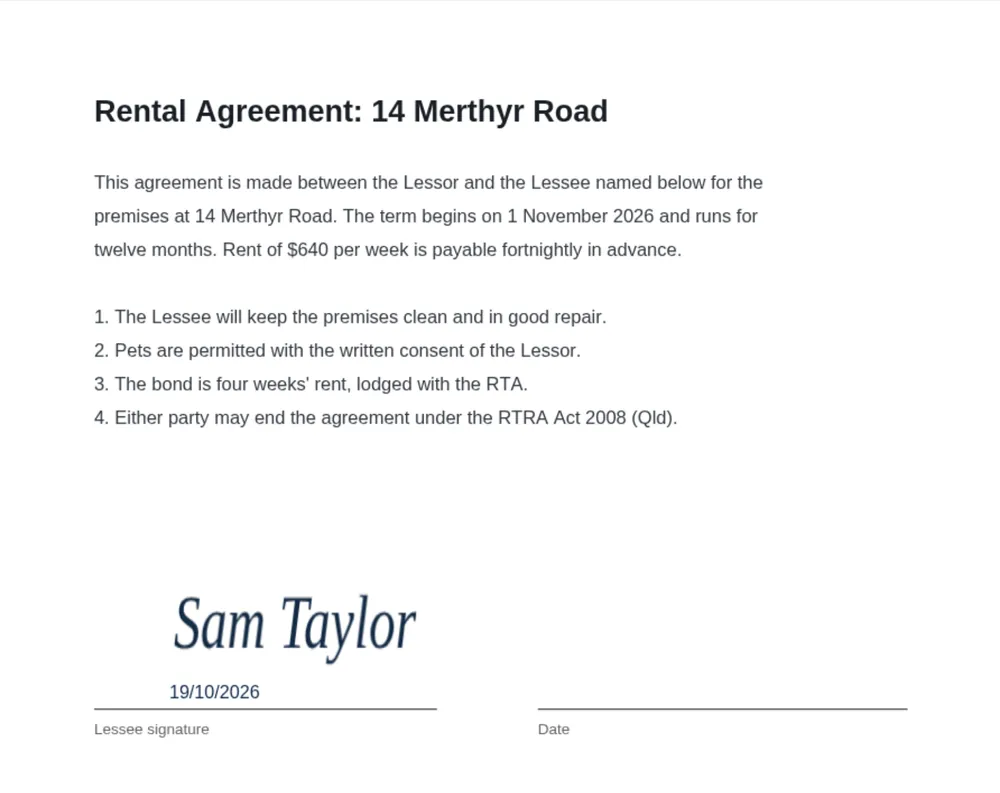
- FreeSign a lease or form without printing it. Draw, type or upload your signature, add the date, save.
- FreeSend a contract that looks finished. No watermark, no account, no "made with" footer.
- FreePut a document pack in order. Merge PDFs, then reorder, rotate, delete or split pages before you send it.
How PDF Desk is made
- Your files stay with you. Your PDFs are processed on your own computer and are never uploaded.
- Free means free. No trial timer, no watermark, no sign-up and no daily limit.
- A person answers. Email support@gabbaworks.com and the person who built the tool replies, usually within two business days.